Store and Share Files on the Move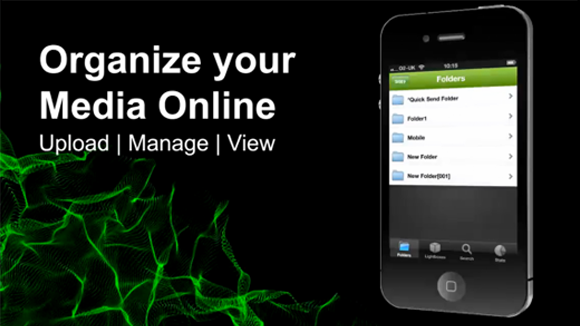 Lightbox iPhone App The Lightbox iPhone app makes it easier to manage your digital media on the move! Also available on iPad, the Lightbox app allows you to backup photos from your mobile device and share them with others. Sending several large email attachments on the iPhone is tricky and emails with large files attached are often blocked. The Lightbox iPhone app overcomes this problem, giving you the power to backup and send large files securely on the move.  Download App Download App Download it for FREE now Download it for FREE nowUpload Backup valuable files from your iPhone to your Media Lightbox site, where stagg can access them securely online.  Share Share large files from your iPhone or tablet with anyone! Send big files on the move with the Lightbox iPhone app. Analyze Track your system usage with site analytics, giving you the capability of planning your system storage and permissions. Manage your valuable digital assets on the move with the Media Lightbox iPhone App  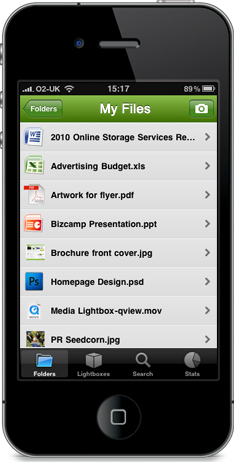 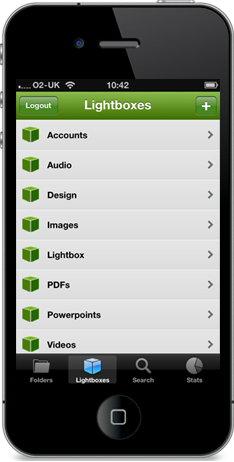 Share large media files with others using the Media Lightbox iPhone App. Send a collection of files in an easy to manage "Lightbox". Forget bounced emails and cluttered inboxes!
You can easily send files to friends and colleagues while you’re on the go. Simply select the file and send a secure link to your contacts on Media Lightbox or your iPhone.
Organize your files by creating as many folders as you want. You can move files between folders in the app, create new ones and create content through the camera integration tool.
Add files with the click of a button. Recipients can download directly from your Media Lightbox account instead of you having to attach all the files in one huge email.
The Media Lightbox iPhone App allows you to open and view numerous file types so that you can check up on what someone has sent you or what you are about to send!
 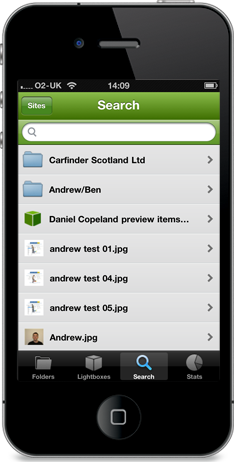 Search through your entire Media Lightbox account with our keyword search. The iPhone apps search engine will look through the entire system to find the relevant files.
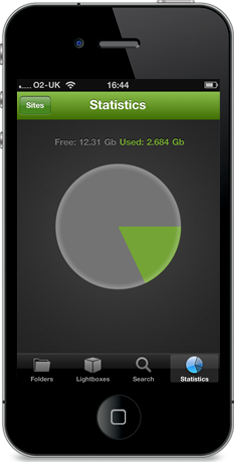
Keep on top of the space you are using with the statistics feature. It will let you know how much memory you have used and how much you have left.
Preview the folder or file of your choice in Search mode to ensure it is the correct one. Thumbnails are also available beside each file to show you what you are selecting.
Add or delete files from your Media Lightbox account using the app. Manage your data on the go from your iPhone and use seamlessly with your desktop or laptop computer.
Once you have found the file you are looking for, you can send it in a Lightbox. Lightboxes are a great way of grouping files together, so that they are ready to send.
Upload your media to the cloud and send large files securely with the Lightbox iPhone App |