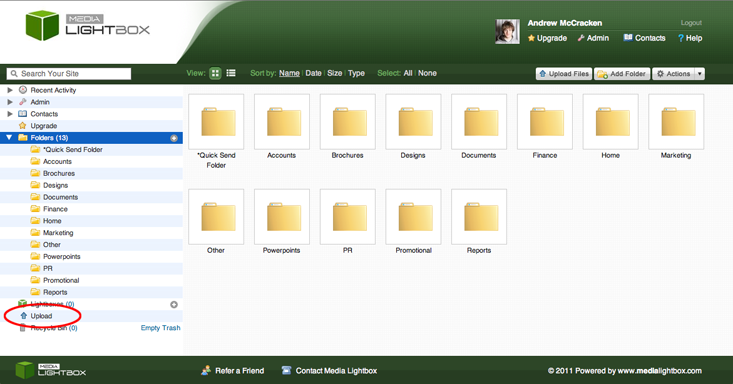
As well as using the "Upload Files" button at the top right of the system, you can upload from the "Upload" page, found on the left of the system. Click the link to a listview of your system folders
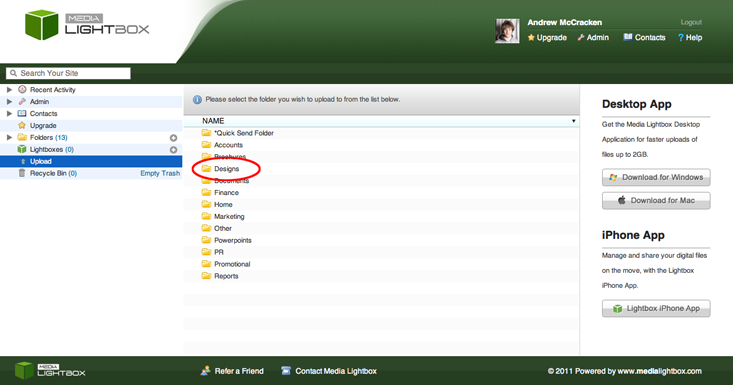
Click the folder you wish to upload files to:
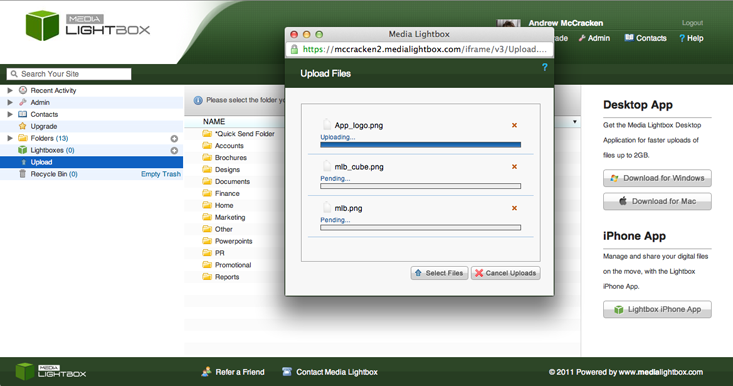
An upload popup will appear, where you can click "Select Files":

Once you have selected the files to upload, the popup will begin uploading the files to the desired folder: