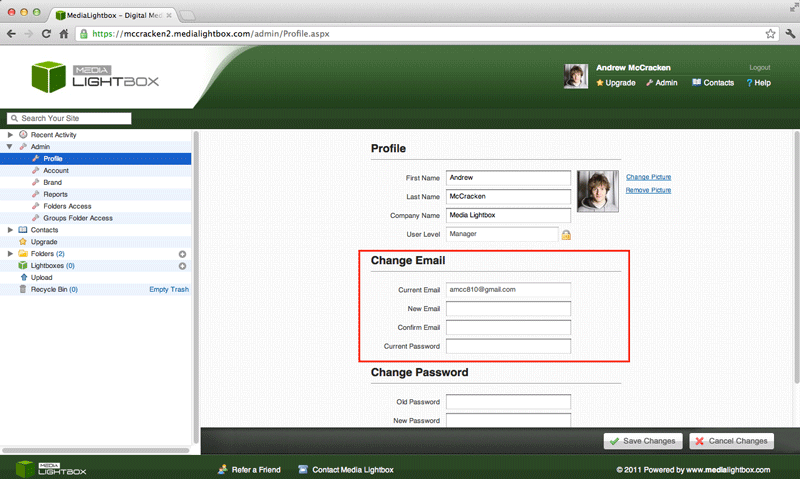
You can change your Email at any time by following the steps outlined below:
· Select the ‘Admin’ tab at the top-right hand corner of any page
· Below the 'Change Email' heading enter your new email address and confirm along with your new email's password
· Click on the ‘Save Changes’ button
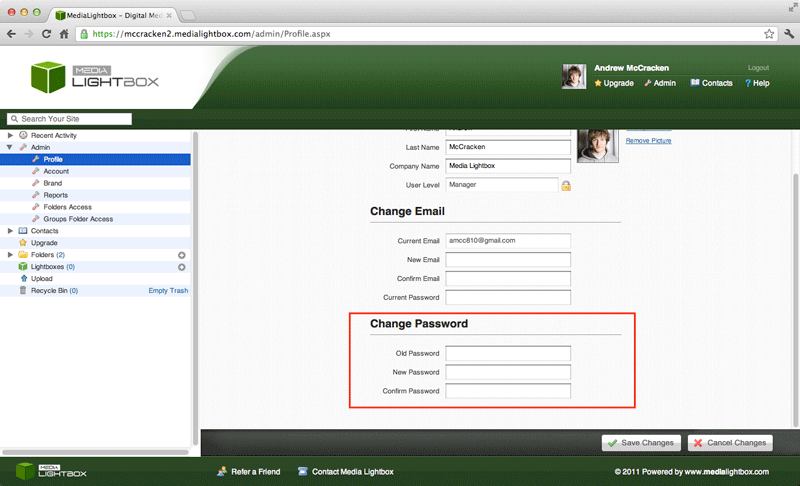
You can change your password at any time by following the steps outlined below:
- Select the 'Admin' tab at the top-right hand corner of any page
- Below the Change Email heading enter your new email address and confirm accompanied by your emails password
- Click on the 'Save Changes' button
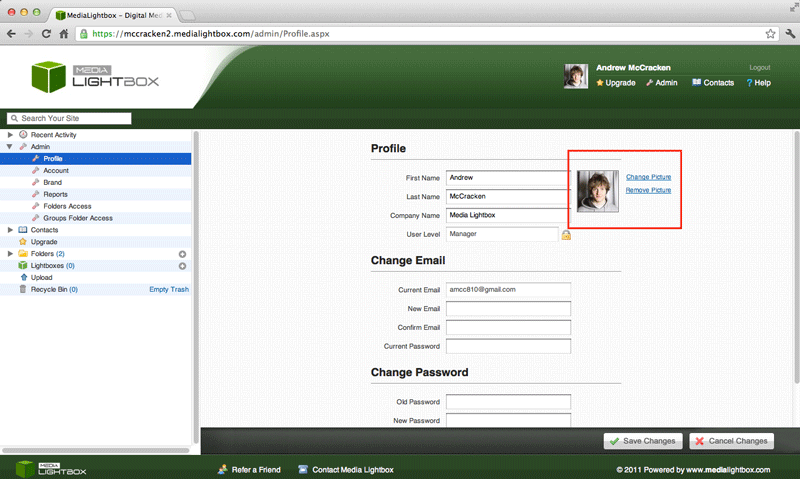
You can change or remove your profile picture at any time by following the steps outlined below:
- Select the 'Admin' tab at the top-right hand corner of any page
- Below the Change heading enter your old password and enter and confirm your new Email
- Click on the 'Save Changes' button