This help step is for the 'Paid Account' see the steps below.
You can edit your credit card details at any time by following the steps outlined below:
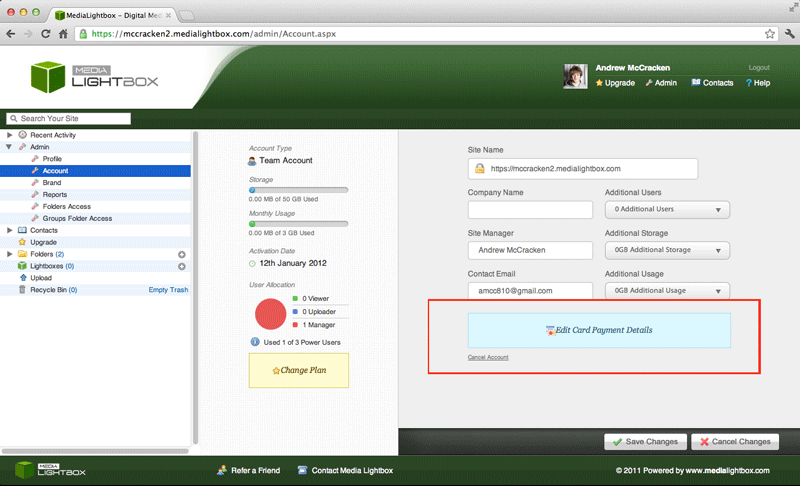
- Select the arrow on the 'admin' drop down tab on the left of any screen
- Select the 'Account' option on the drop down menu
- Click on the blue button with the text 'Edit Card Payment Details'
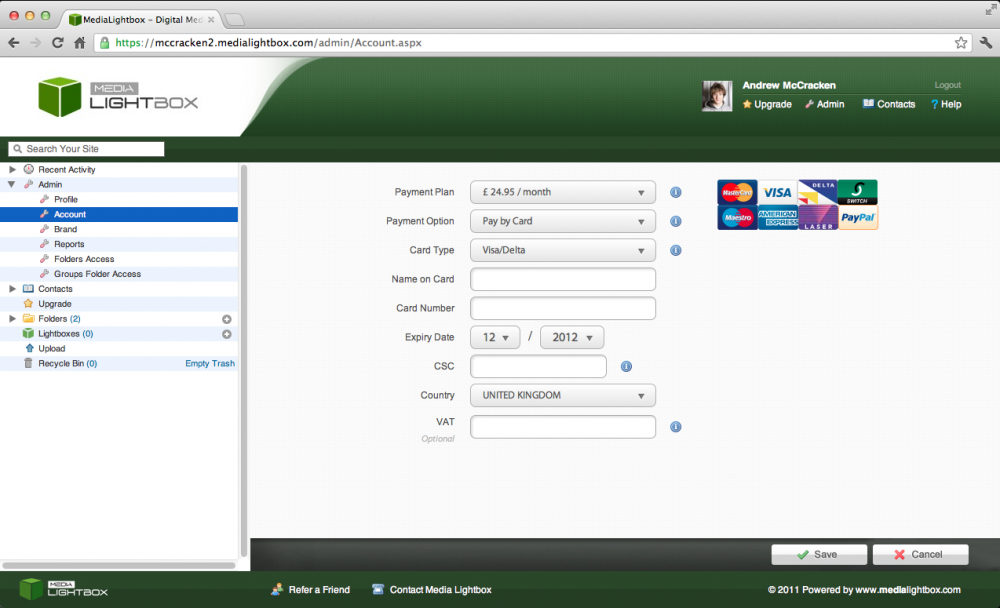
- A new screen will appear with a series of columns for you to enter your credit card details
- When finished click 'Save' and you will be taken to the 'account' screen
- you can also cancel editing your card details simply by clicking 'Cancel'