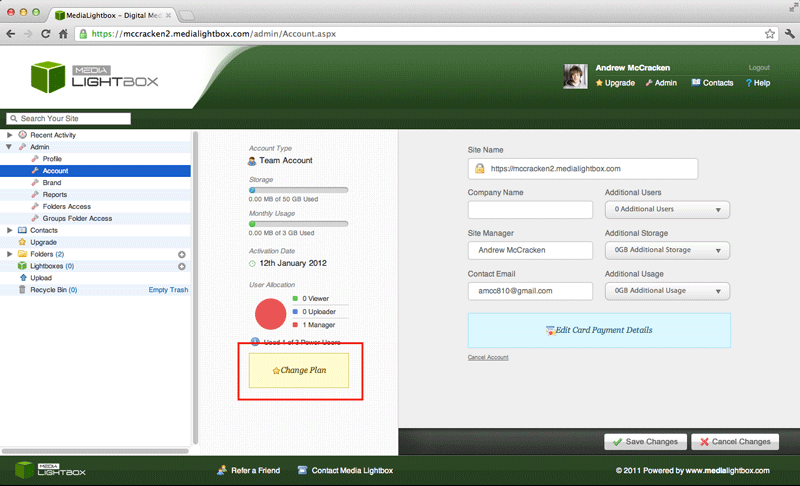
This help step is for the 'Paid Account' see the steps below.
You can change you Company name at any time by following the steps outlined below:
- Select the arrow on the 'Admin' drop down tab on the left of any screen
- Select the 'Account' option on the drop down menu
- Click the yellow box with the text 'Change Plan'
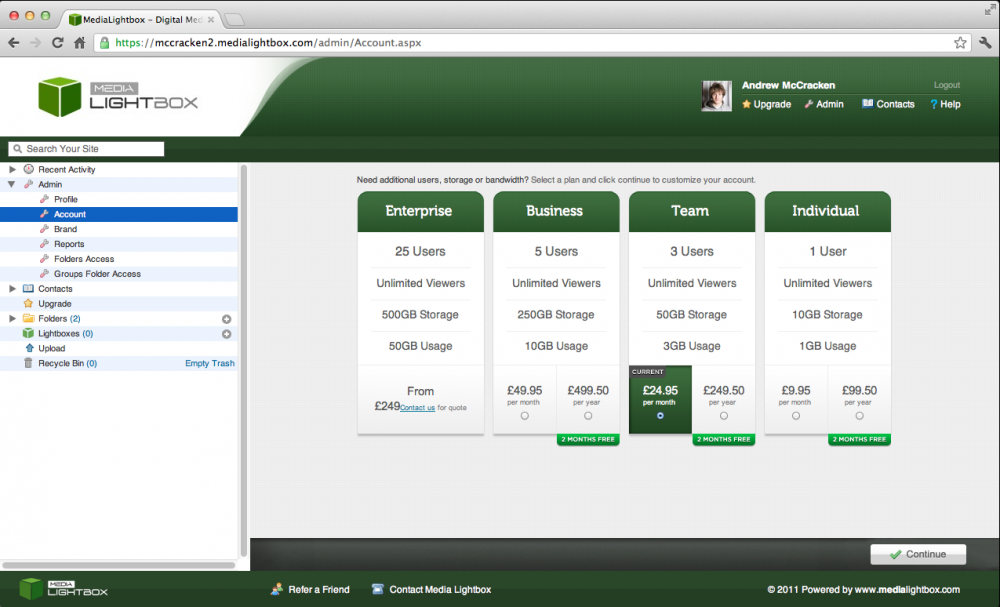
- After clicking the yellow button 'Change Plan' you will be taken to a pricing page (shown below) your current plan will be highlighted in green
- select the desired plan and click continue
- You can keep your current plan by clicking the highlighted green option and then click 'Continue'
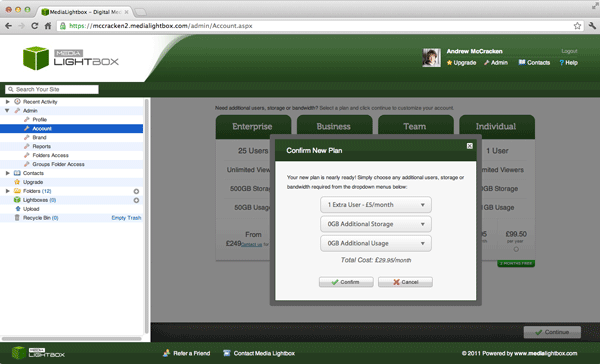
- A further screen will pop up to confirm your selection with extra specific options
- If you would like any additional options use the drop downs provided to add to your current plan
- Click 'Continue' to confirm
- Click 'Cancel' to cancel and return to the pricing screen