To send any Lightbox, hover your mouse over the Lightbox on the navigation bar. The Action Symbol will appear to the right of the Lightbox name. Hover your mouse over this symbol to reveal a drop-down menu and click on Send Lightbox.
The following screen will appear. Select the users you want to send the file to by typing their email address in the “To” section, or by selecting them from the Contacts List or Groups Section.
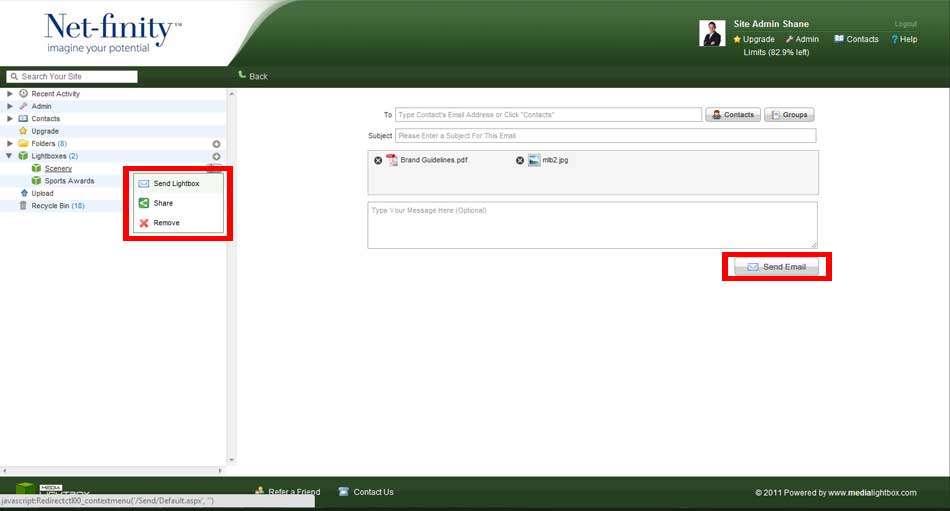
You then must give the message a Subject Title before also having the option of adding a Message. Finally, click Send to send the message.
If you have sent the message to an email address which isn’t on your Contacts list, then you will be required to add that person to your Contacts list.