In the 'Free Account' Account page you can change the following features:
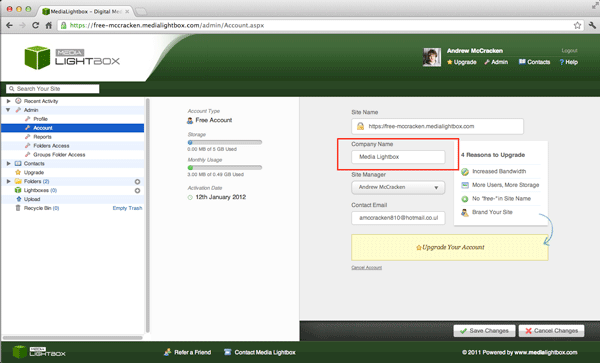
You can change you Company name at any time by following the steps outlined below:
- Select the arrow on the 'Admin' drop down tab on the left of any screen
- Select 'Account' on the sidebar
- Below the 'Company Name' you will see either your current company name or a blank field.
- Enter your company name and Click on the 'save changes' button
You can upgrade your account at any time by following the steps outlined below:
- Select the arrow on the 'Admin' drop down tab on the left of any screen
- Select 'Account' on the side bar
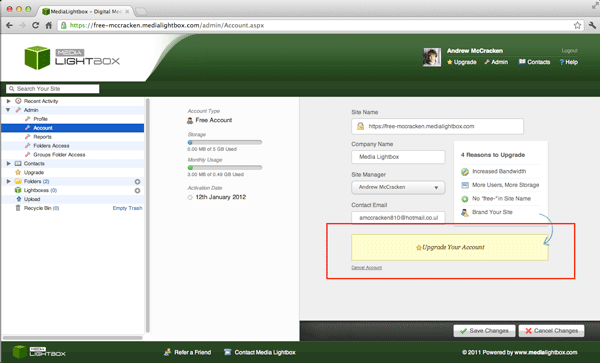
- Select the yellow box that reads 'Upgrade your Account' you will see either your current company name or a blank field.
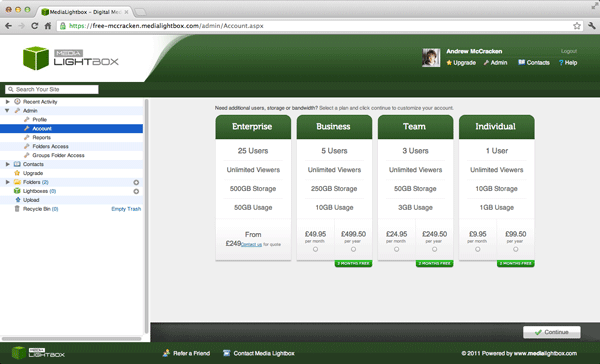
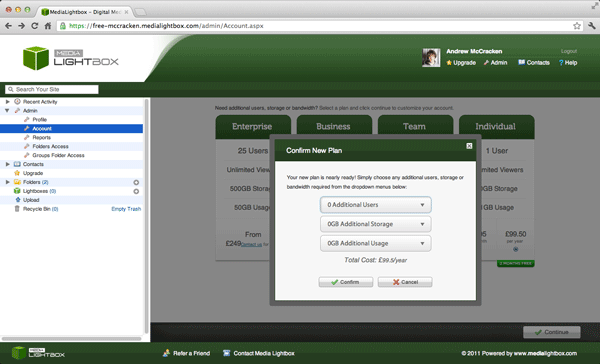
- Once the 'Upgrade Your Account' a new screen will appear, from here you can make any selection simply selecting the desired select box
- Click 'Continue'
- After 'Continue' has been clicked a new window will appear offering further options, select the desired options and click 'Continue'
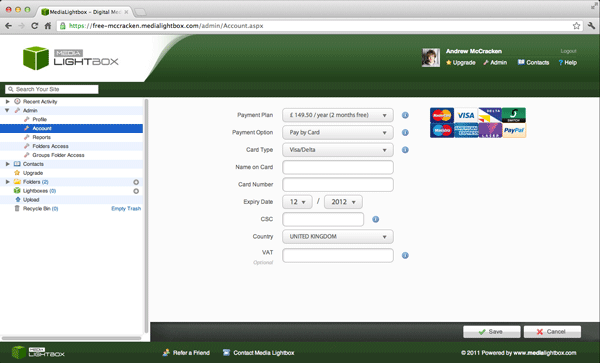
- The next and final screen will be the payment screen, please fill in your credit card details and click 'Save'