A lot of Media Lightbox clients use this feature if they work in a team and need to get copy or Artwork (Or Video/PPTS etc) approved by one or more people in the team. Additionally, many freelance designers or architects use Media Lightbox to get approval of designs/artwork or drawings from the end client.
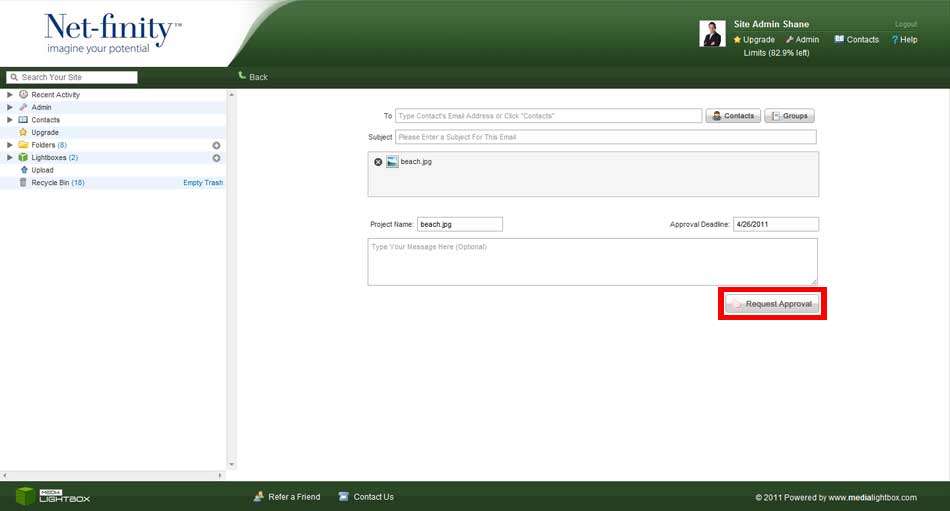
If you require approval on a file before sending it internally or to clients, simply open the file, select Request Approval from the drop-down action menu and the screen below will be displayed.
Fill in the short form e.g. enter the project name, a comment and select the approvers from the list of contacts or a group in your Media Lightbox account. It's that simple! All appointed 'approvers' are notified via email and it all links back to the Media Lightbox system ensuring that no large files are clogging up the email inbox of your work colleagues or clients. All Artwork Approval requests are monitored on the Recent Activity page so you can see at a glance any requests pending as well as all completed approval requests.