This help step is for the 'Paid Account' see the steps below.
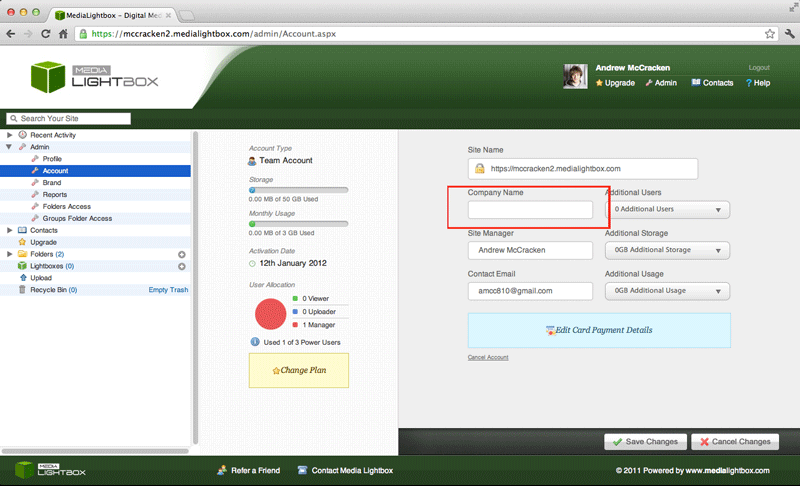
You can change you Company name at any time by following the steps outlined below:
- Select the arrow on the 'admin' drop down tab on the left of any screen
- Select the 'Account' option on the drop down menu
- Below the 'Company Name' you will see either your current company name or a blank field.
- Enter your company name and Click on the 'save changes' button
You can change your accounts usage at any time by following the steps outlined below:
- Select the arrow on the 'Admin' drop down tab on the left of any screen
- Select the 'Account' option on the drop down menu
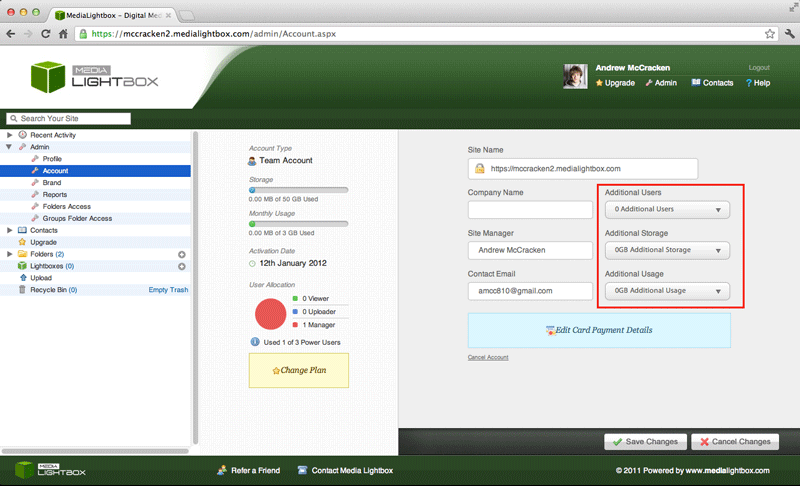
- Below the three additional buttons (additional users, additional storage and additional usage) are drop down menus for each option.
- Select the desired amount and click
You can change your accounts usage at any time by following the steps outlined below:
- Select the arrow on the 'Admin' drop down tab on the left of any screen
- Select the 'Account' option on the drop down menu
- Below the three additional buttons (additional users, additional storage and additional usage) are drop down menus for each option.
- Select the desired amount and click 'save changes'
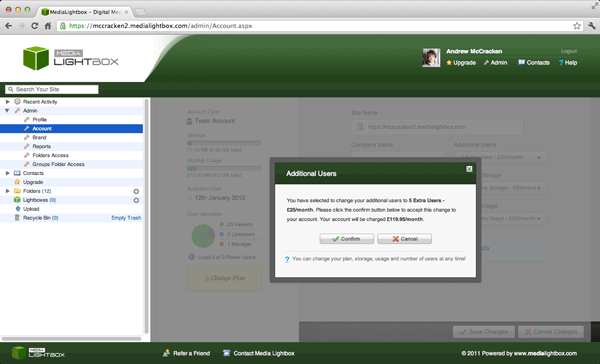
- A further window will open asking you are you sure with your selection with options 'confirm' or 'cancel' (see image below)