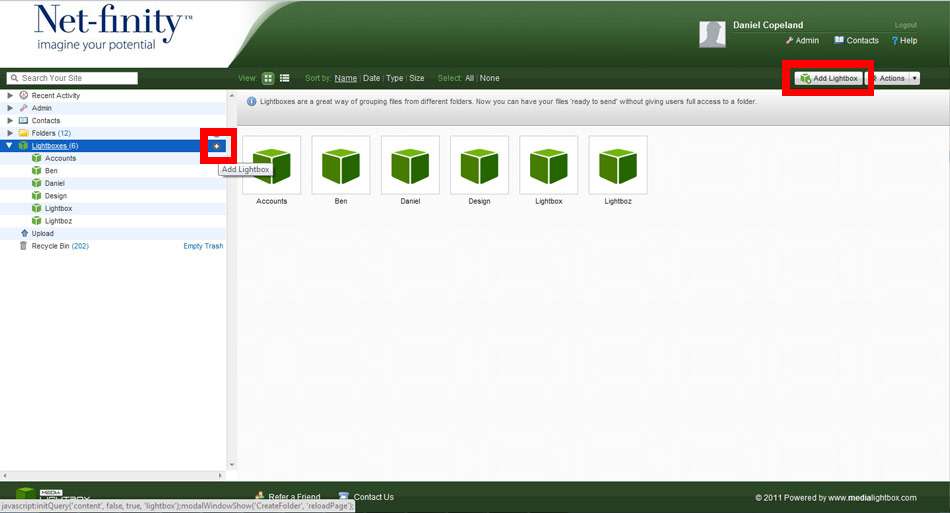
To create a new Lightbox, select the Lightbox tab on the navigation bar and click on the Add Lightbox option. A pop-up window will appear allowing you to enter the name of the Lightbox. When you have entered the name, click the Add Lightbox link to complete the action.
You can also add a new Lightbox by clicking on the “+” symbol next to the “lightboxes” tab on the navigation bar.