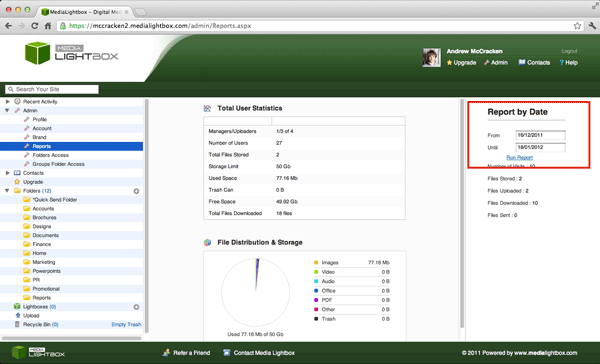
You can run a report on your site to find out general user statistics of your site at any time, follow the steps below
- Select the arrow on the 'admin' drop down tab on the left of any screen
- Select the 'Reports' option on the drop down menu
- On the far right of the screen below 'Report by Date' enter the dates you wish to get statistics of
- Click 'Run Report'
- You should now see a graph in the middle of the screen accompanied by different statistics about your account