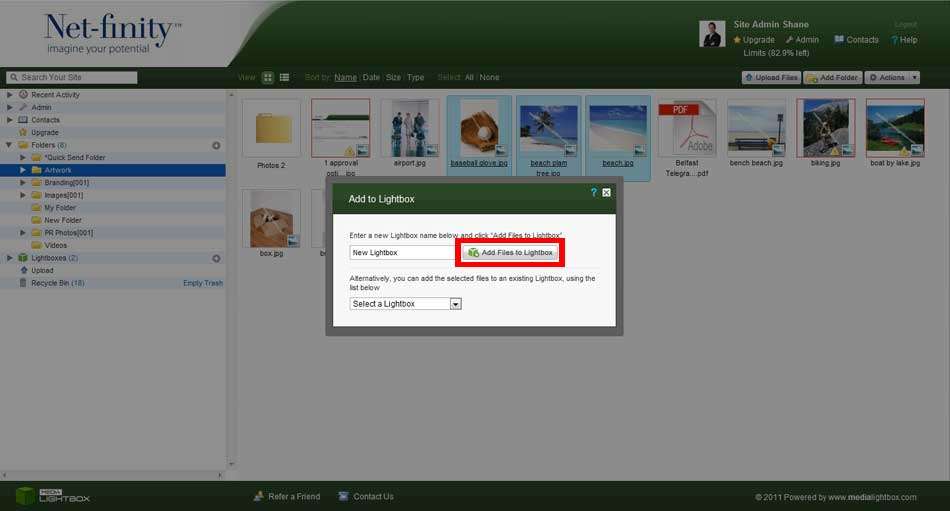
To add files to a Lightbox you must first highlight the files you wish to add. Once you have done this, proceed to the drop-down action menu and select Add to Lightbox. This will bring up a pop-up allowing you to either add the files to a current Lightbox by selecting the Lightbox from a drop-down list, or to create a new Lightbox in which the files will now reside.
You can also add files to a Lightbox, by clicking and dragging the files onto the relevant Lightbox on the navigation bar.