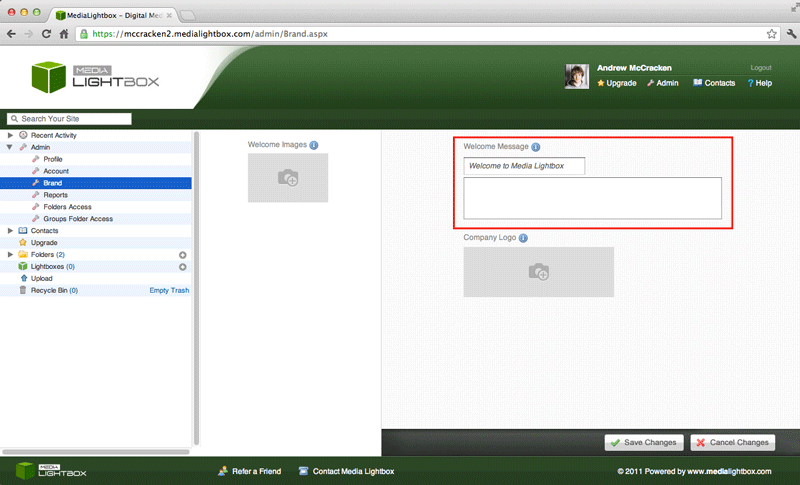
You can add/change up the Welcome message of your site at any time by following the steps outlined below:
- Select the arrow on the 'admin' drop down tab on the left of any screen
- Select the 'Brand' option on the drop down menu
- Below 'Welcome Message' enter your desired title name for your site along with any information you would like to add.
- Click 'Save Changes'
You can remove the Welcome message of your site at any time by following the steps outlined below:
- Select the arrow on the 'admin' drop down tab on the left of any screen
- Select the 'Brand' option on the drop down menu
- Below 'Welcome Message' click both fields in turn, highlight the text and hit backspace on the keyboard
- if happy with the action click 'Save Changes'