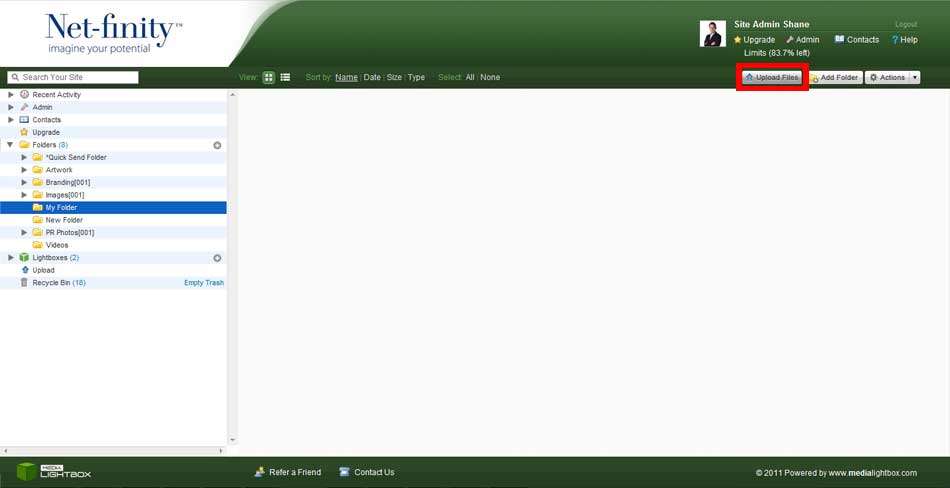
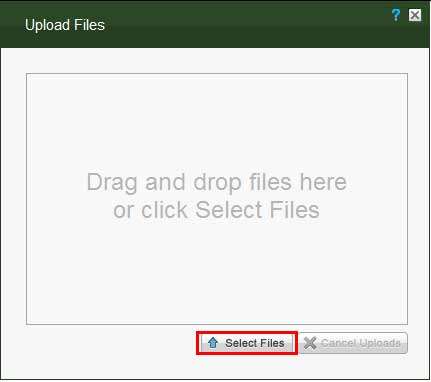
You can access the Upload section, by clicking on Upload Files in the top-right hand of the screen in the Folders section, or by clicking on the Upload tab on the navigation menu. Here you will have the option of downloading the Media Lightbox Desktop Application to upload files, or directly uploading them to a folder of your choice. If you decide to do this directly, then you click on the folder you wish to upload to, causing the Upload Files pop-up to appear. You can click on the Select Files button, to explore your computer for files to upload. Once you have found the files, highlight them and click Open. You can also drag and drop files from your computer directly into the pop-up to upload them.